
WordPress AI Chatbot
A WordPress AI Chatbot That Answers From Your Content
Help visitors find the answers in your documentation, articles, and teaching materials—and keep the conversation going when they need more detail.
Your content provides the knowledge. We help make it easier to use.
- Follow-up questions
- Source citations
- Your WordPress content
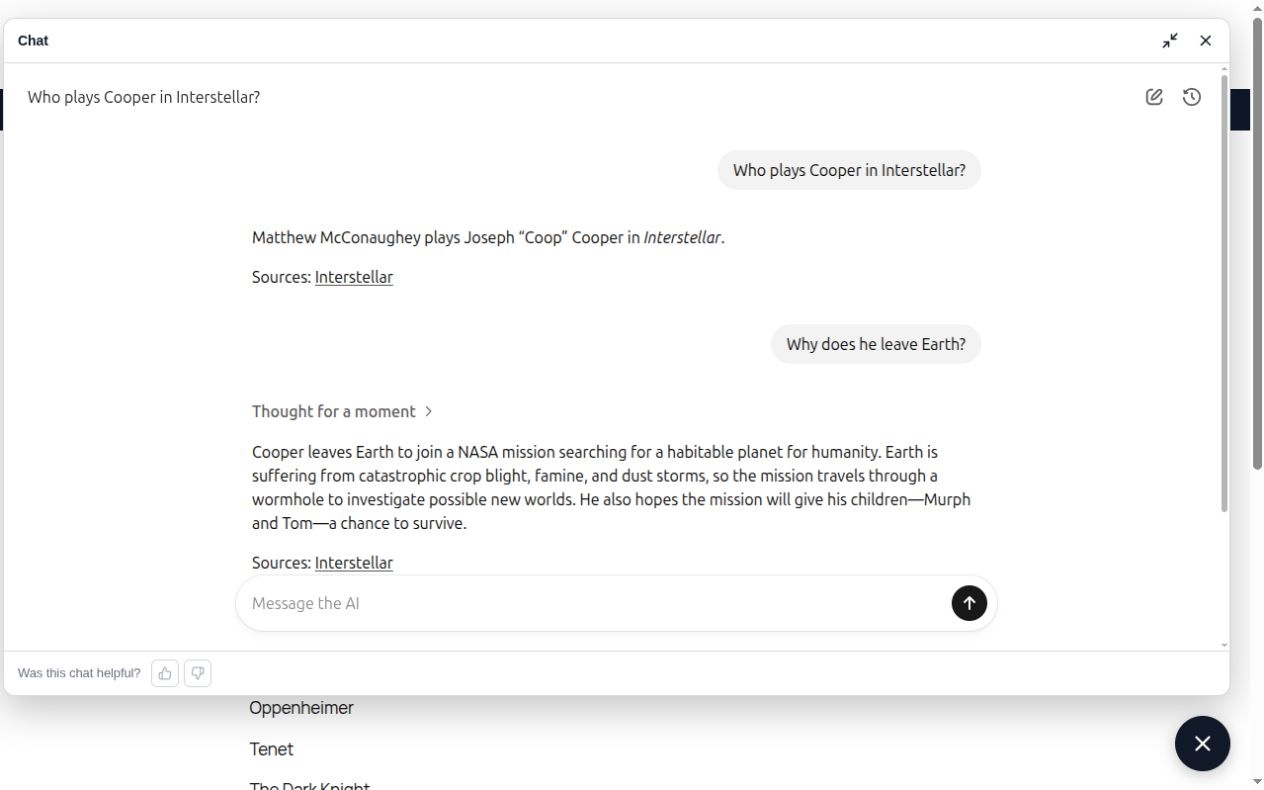
Follow-up answers with citations
Built for WordPress
- WordPress
- Relevanssi
- OpenAI
Help Visitors Work Through Their Questions
Command Media’s WordPress AI chatbot turns your published knowledge into an interactive assistant. Visitors can ask questions in their own words, ask follow-up questions, and explore the sources behind an answer.
Finding the right article is often just the beginning. A visitor may need help understanding an instruction, comparing approaches, or finding related information elsewhere on your site.
A conversational assistant gives them a way to continue.
In a product help center, for example, a visitor might ask:
- “How do I set up a speeding alert?”
- “Can you explain that step in more detail?”
- “Where can I find troubleshooting instructions?”
The chatbot can use the context of the current conversation to handle follow-up questions, helping visitors explore your content without starting a new search each time.
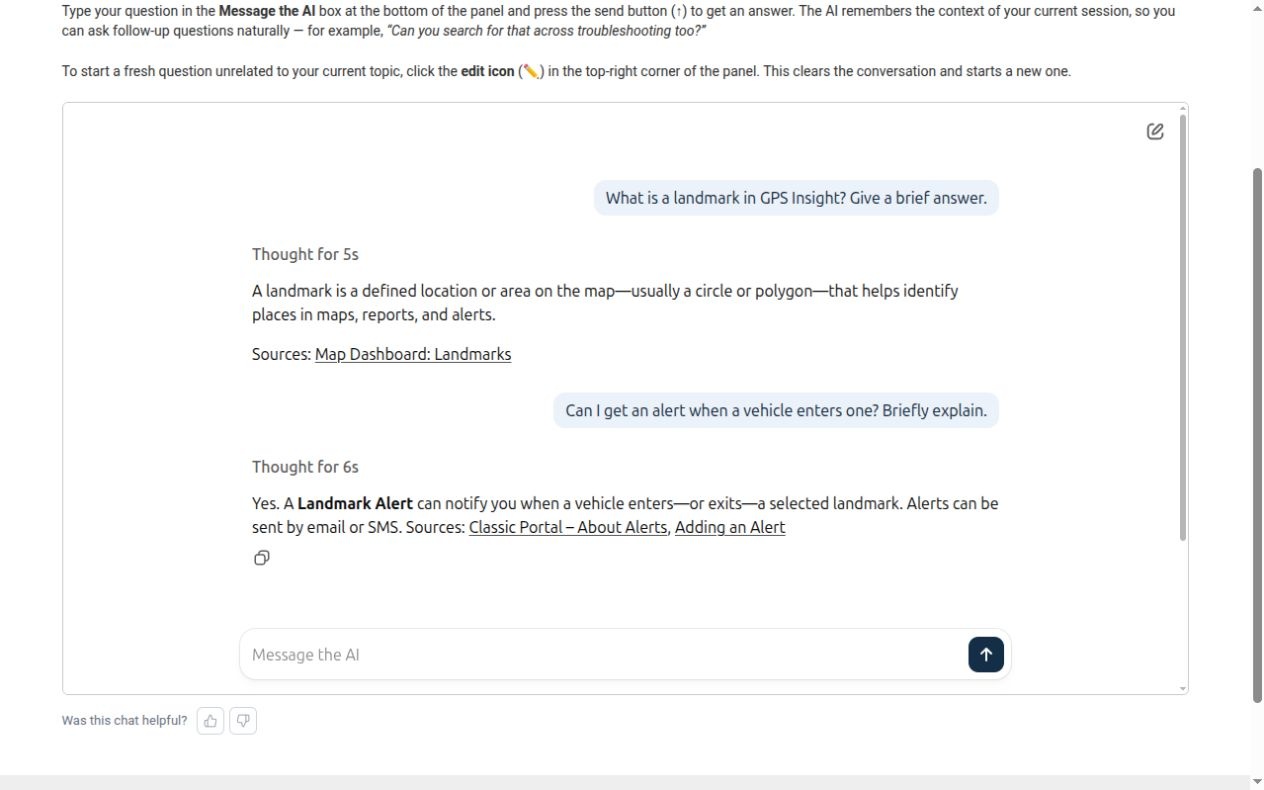
Questions that lead to useful answers
Answers Grounded in Your Published Knowledge
Your organization has already invested in explaining its products, services, or subject matter. The chatbot puts that work within reach.
When a visitor asks a question, the assistant can search your configured WordPress content, retrieve relevant material, and use it to compose an answer. Source links give visitors a route back to the original articles and documentation.
Find relevant content
The assistant searches your configured WordPress content for material relevant to the question.
Compose an answer
For detailed questions, the assistant can retrieve fuller document text when a short summary does not provide enough context.
Link to the source
Source links give visitors a route back to the original articles and documentation.
Make a Large Content Library Easier to Explore
Product Documentation and Help Centers
Help customers work through setup questions, product explanations, and troubleshooting material. Give them a conversational way to explore the documentation your team maintains.
Teaching and Research Archives
Help readers connect ideas across lessons, transcripts, and articles. Source citations let them return to the original material for closer study.
Service and Resource Websites
Help prospective customers understand information you have already published about your services, processes, and expertise. Make detailed resources easier to find when visitors have a specific question.
Try the live demo
See a WordPress Chatbot in Action
Our Christopher Nolan Film Guide demonstrates how a WordPress AI chatbot can help visitors explore a collection of published articles. Ask about a film and use the conversation to explore its plot, cast, or related details.
Open the chat panel and ask a question such as “What is the plot of Inception?” Then ask a follow-up question to continue exploring the topic.
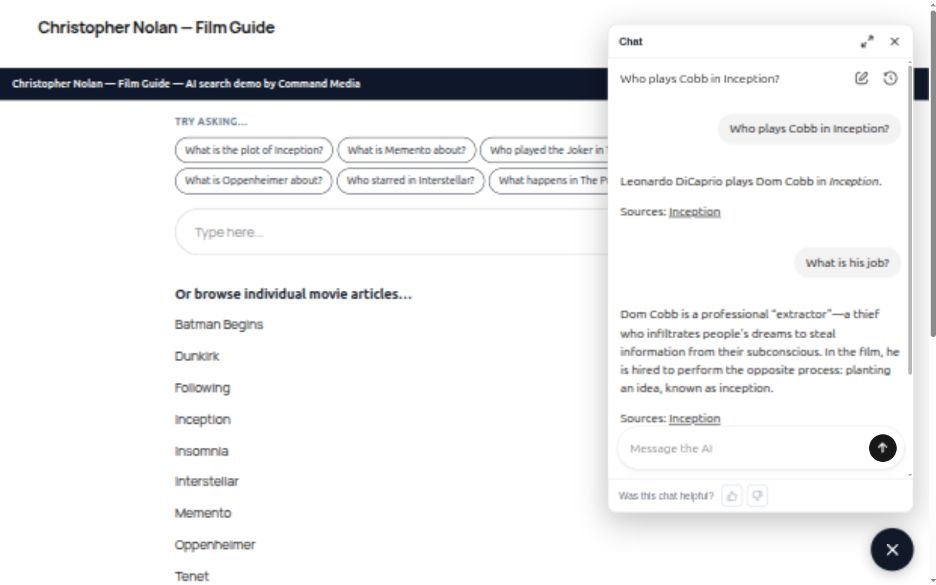
Explore the Nolan Film Guide
Implementation and Continuing Answer-Quality Support
A useful chatbot needs relevant content, effective retrieval, clear instructions, and testing against the questions your visitors actually ask.
We help with implementation, integration, testing, and launch, followed by continuing review and tuning of the implemented system.
New integrations, substantial feature development, and content rewriting are scoped separately.
Configure
Identify the content the assistant should use. Configure retrieval and instructions for your audience.
Integrate
Integrate the chatbot into your website.
Test
Test representative questions and follow-up conversations.
Improve
Investigate reported answer-quality issues and adjust the configuration when needed.
Built Into Your WordPress Experience
The chatbot is part of Command Media AI Suite and can be placed on WordPress pages through the block editor.
Its appearance can be configured to fit your website, including colors, dimensions, and typography. We can also configure separate assistants for different purposes, with instructions suited to each role.
Your WordPress content remains the material your team maintains. Reviewing and updating that content is an important part of keeping the assistant useful.
Explore the Command Media AI Suite
We configure the assistant’s instructions, content scope, and tone around your use case. That includes how it should respond when your content does not support an answer.
Frequently Asked Questions
How is this different from AI Search Summaries?
AI Search Summaries provide an answer alongside your website’s search results. The chatbot provides a conversation in which visitors can ask follow-up questions.
Both can help visitors use your published content. The right choice depends on whether they usually need a quick answer or help exploring a topic.
What content can the chatbot use?
The chatbot can retrieve content from configured WordPress posts, pages, and documentation. We review your content structure during implementation to determine what should be included.
Custom content types, restricted material, and information held outside WordPress need a specific review.
Can the chatbot make mistakes?
Yes. Grounding answers in relevant content and providing citations helps make responses easier to check, but AI can still misunderstand a question or interpret a source incorrectly.
We test representative questions, configure how the assistant handles missing information, and investigate reported answer-quality issues. Clear, current source content remains essential.
What does our team need to provide?
You provide the WordPress website, approved source content, and the required AI-provider account.
We also confirm the chatbot’s hosting requirements during scoping. For launches after November 2026, your organization must provide and operate the customer-controlled Node.js service used by the chatbot. We can assist with deployment and integration; your organization is responsible for that service’s hosting, security, maintenance, and availability.
Can it answer questions about private or member-only content?
That requires a review of your permissions and retrieval configuration. We need to establish which content each visitor is allowed to access and test that access before including restricted material.
See What Your WordPress Content Can Answer
The most useful starting point is the content you already have—and the questions your visitors need answered.
Request a free AI Search demo using your WordPress content, and tell us you are interested in a conversational chatbot. We’ll help you evaluate the answers and discuss the chatbot implementation that fits your website.